Installation
Read this page fully before you start
Supported hardware is the Arcadyan AW1000 only. Flashing the wrong image or flashing on the wrong flash layout can brick the router. Read MTD layout and Recovery before you flash.
There are two situations:
- The router already runs OpenWrt (stock OpenWrt 25.12.x or an earlier CleanWRT). Go to Already on OpenWrt.
- The router runs the stock (Telstra) firmware. The first OpenWrt install needs serial console (UART) access. Go to First install from stock.
What you need for a first install
- A 3.3 V USB-UART adapter. Do not use 5 V logic. Plus a few wires.
- A Phillips screwdriver to open the case, and a look at the UART guide to find the pads.
- A TFTP server on your computer (
atftpd,tftpd-hpa, ordnsmasq --enable-tftp) with a fixed IP in the router's LAN range (factory default192.168.1.x). - Two files from a release (see Releases):
…-initramfs-uImage.itb, the boot-in-RAM image for the first install…-squashfs-sysupgrade.bin, the permanent image
- An Ethernet cable. The first login is over Ethernet.
First install from stock firmware (UART + TFTP)
- Open the case, connect the UART adapter (3.3 V!) and open a serial terminal at
115200 8N1 (
screen /dev/ttyUSB0 115200, or PuTTY). - Power the router on and interrupt U-Boot when the countdown appears (press a key).
-
Tell U-Boot the router's IP and your TFTP server's IP:
setenv ipaddr 192.168.1.1 setenv serverip 192.168.1.10 # your computer running TFTP -
Boot the initramfs image from RAM:
tftpboot ${loadaddr} <initramfs-image-name>.itb bootm ${loadaddr} -
The router boots a live OpenWrt from RAM. Flash the permanent image from this live system, over the network:
# from your computer scp *-squashfs-sysupgrade.bin root@192.168.1.1:/tmp/ # on the router sysupgrade -v /tmp/*-squashfs-sysupgrade.bin -
The router reboots into the permanent firmware. Continue with First boot.
The no-UART shortcut
On very old stock firmware revisions a community "autoscript" method exists (flashing via a crafted USB update file, no UART). It is not maintained here, the older methods are reported to be patched on newer stock firmware, and a wrong image for your flash layout can brick the device. Prefer UART + TFTP.
Already on OpenWrt (sysupgrade)
scp *-arcadyan_aw1000-squashfs-sysupgrade.bin root@192.168.1.1:/tmp/
ssh root@192.168.1.1 "sysupgrade -v /tmp/*-sysupgrade.bin"
- Keep settings (the default): your configuration survives. This is fine between CleanWRT releases.
- Clean install (
sysupgrade -n): wipes the overlay. Use it when changing major versions, when the UI misbehaves, or when coming from a much older build. It also puts the default credentials back (see First boot).
You can also upload the image in LuCI, under System → Backup / Flash Firmware → Flash image….
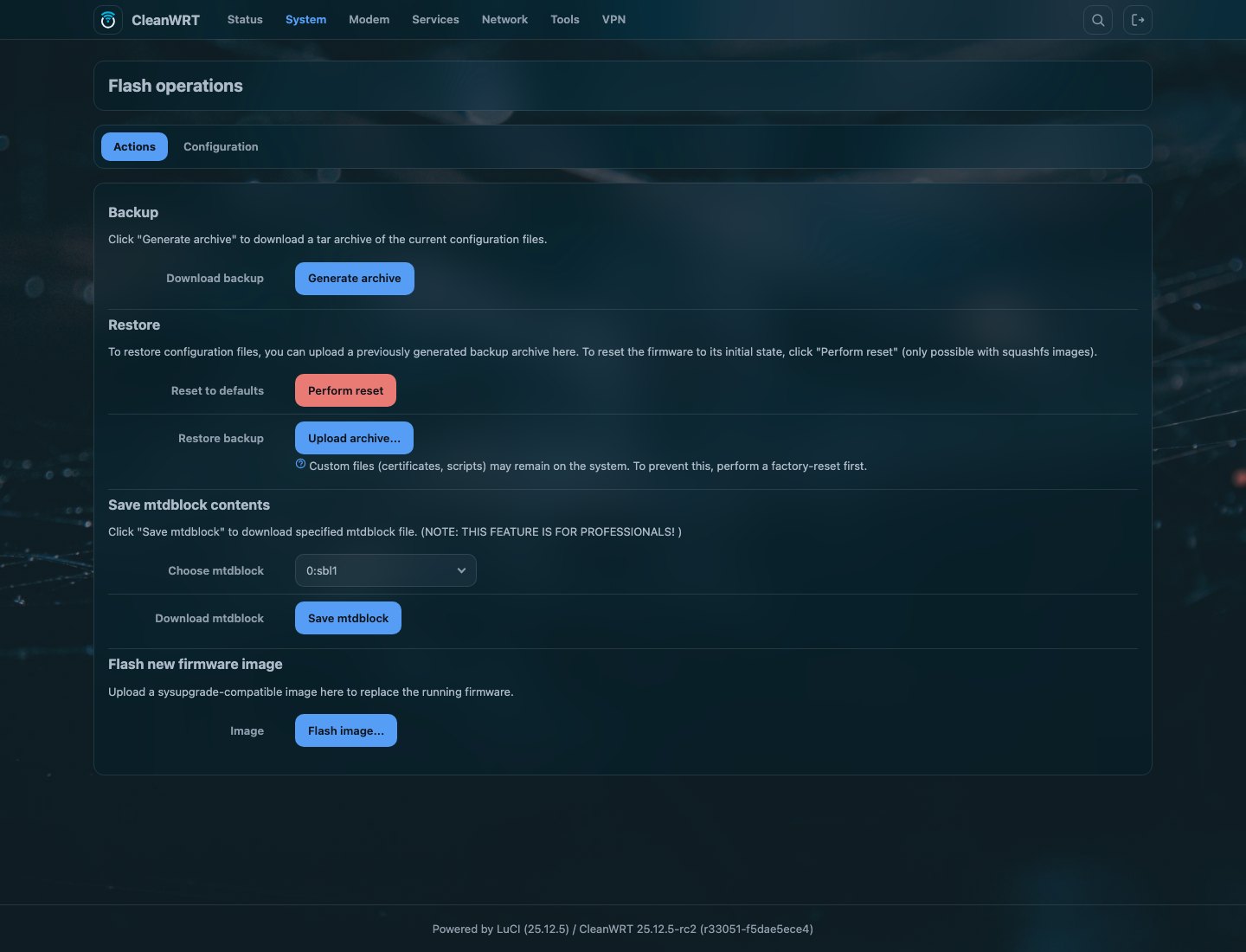
Before flashing from OpenWrt, check the layout:
cat /proc/mtd
The rootfs partition must be at least 0x08000000 (128 MiB). Otherwise stop. See
MTD layout.
After flashing
- Open
http://192.168.1.1over Ethernet and follow First boot. - Check the version in the login banner or Status → Overview.
- If something is wrong, go to Recovery.
Common questions
How do I install OpenWrt on the Arcadyan AW1000 for the first time?
From the stock firmware you need a 3.3 V USB-UART adapter and a TFTP server. Stop U-Boot on the serial console, boot the initramfs image from RAM over TFTP, then run sysupgrade from that live system to write the permanent image.
Can I install OpenWrt on the AW1000 without opening the case?
If the router already runs OpenWrt, yes: copy the sysupgrade image over and flash it, or use System → Backup / Flash Firmware in LuCI. From the stock firmware you need the serial console. A community no-UART method existed for very old stock firmware, but it is not maintained here and is reported to be patched on newer revisions.
Which file do I flash on the AW1000, initramfs or sysupgrade?
Both, in order, on a first install. The initramfs image only boots a live system from RAM and writes nothing. The sysupgrade image is the permanent one. Later updates need only the sysupgrade image.
Should I keep settings or use sysupgrade -n on the AW1000?
Keep settings between CleanWRT releases. Use sysupgrade -n (a clean install) when you change major versions, when you come from another firmware, or when the interface misbehaves. It also puts the default credentials back.